What is pixel art, and what is it used for?
Why would anyone turn a good photo into big chunky squares? Because a pixel version is not a worse photo. It is a pattern: one square is one stitch, one bead, one brick or one tap.
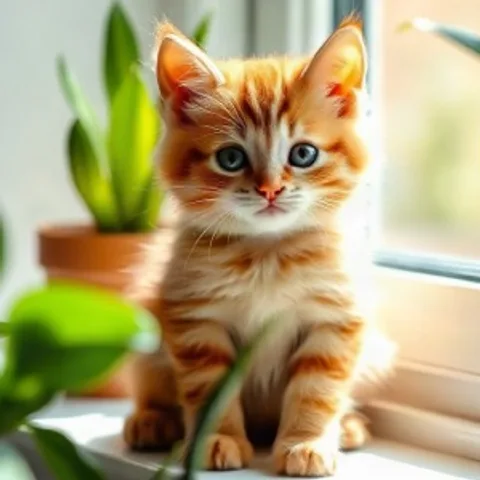
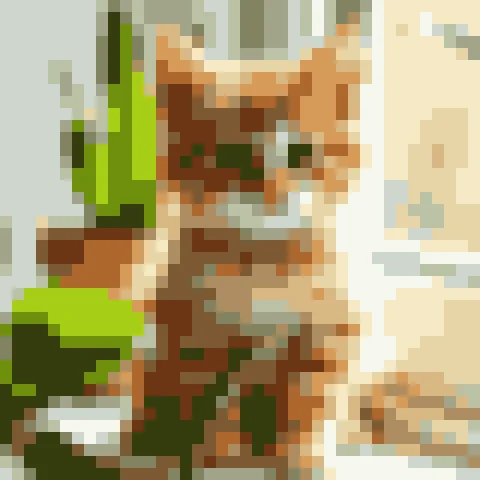
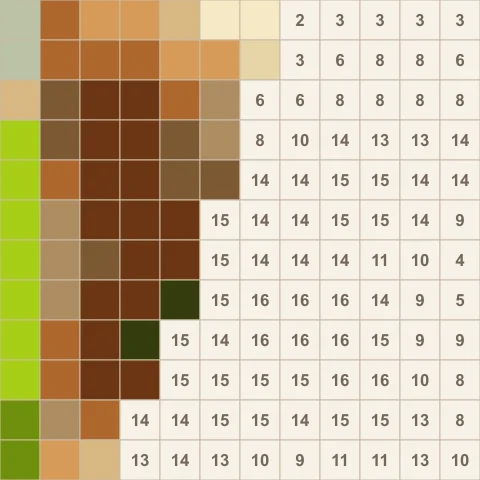
✕ Not a blurrier copy of the photo
✓ A grid plan you can color, stitch or build
What is pixel art?
Pixel art is a picture made of a visible grid of colored squares, where every square is placed on purpose. It grew up in early computer and video games of the 1970s and 1980s, when screens had few pixels and few colors, so artists had to make every square count. The term itself was first used in print in 1982 by Adele Goldberg and Robert Flegal of Xerox PARC.
Today it is a style of its own, and also a very practical one. A small grid and a short list of colors are exactly what a crafter needs. Mosaic, cross-stitch and beadwork used the same idea long before computers existed.
What pixel art is used for: 8 real uses
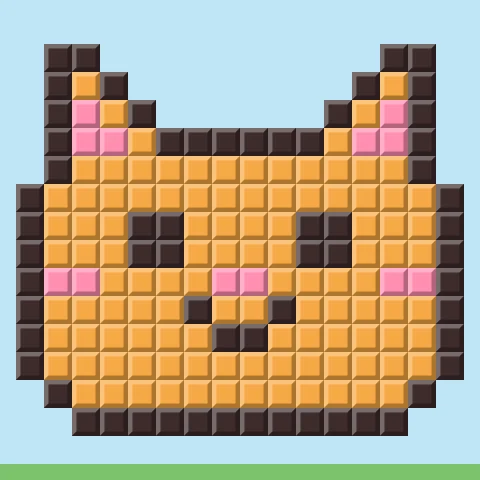
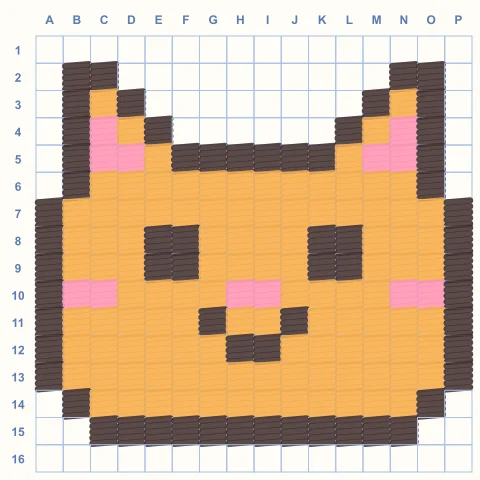
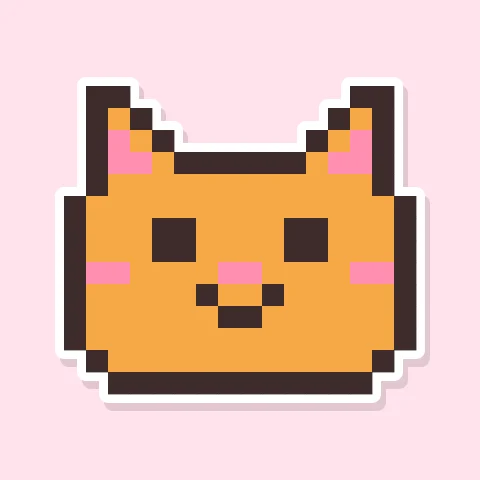
Here is one little 16×16 kitten, made eight different ways. The pattern never changes. Only the material does.
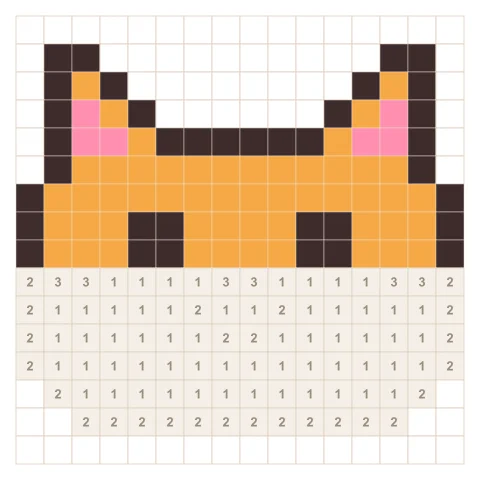
1. Color by number
Every square gets a number, every number a color. You fill them one by one until the picture appears. It is the same calm, no-skill-needed pleasure as a paint-by-number kit, and it is what most people mean by a pixel art coloring app. Try it free on our color by number pictures, or turn your own photo into a puzzle in Pixel Paint.
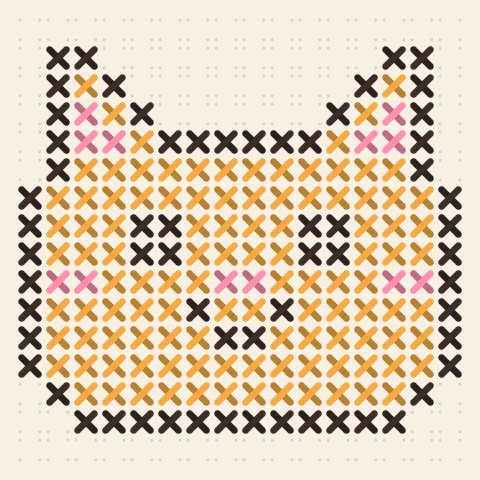
2. Cross-stitch and embroidery
Cross-stitch is pixel art with thread: one square on the chart is one X on the fabric. On the common 14-count aida cloth there are 14 stitches per inch, so a picture 56 squares wide comes out about 4 inches (10 cm) wide. That is why people search for a photo to cross-stitch pattern: a pixel version is the pattern.
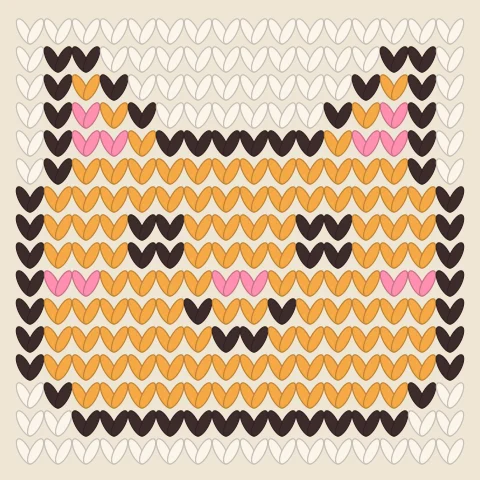
3. Knitting and crochet charts
Colorwork sweaters, tapestry crochet and corner-to-corner blankets are worked from a grid chart where each square is a stitch. Turning a photo into a chart lets you knit a pet, a name or a favorite place. Keep the colors few, because every color is another ball of yarn.
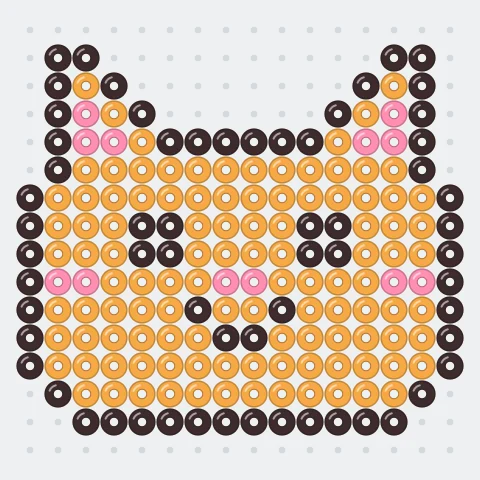
4. Fuse bead art
Fuse beads (also called melty or ironing beads) are placed on a pegboard one per peg and ironed together. A large square pegboard is 29 × 29 pegs, so 16×16 or 29×29 pixel art fits one board exactly. It is a favorite with kids, and grown-ups make keyrings, coasters and magnets.
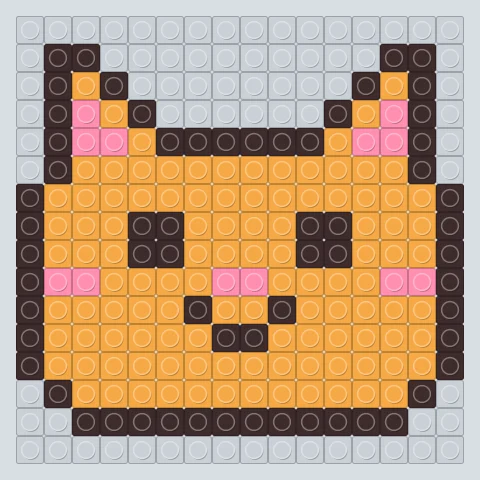
5. Brick and tile mosaics
Toy building bricks, mosaic tiles, buttons, even sticky notes on an office window: anything square and colorful can be a pixel. A pixel art plan tells you how many pieces of each color to buy before you start.
6. Builds in block games
In block-building games every block is one pixel, so players build giant pixel art in their worlds. A grid plan saves hours of counting blocks, and a small 16×16 design is a good first build.
7. School and kids
Coloring squares on a grid practises counting, coordinates (“fill C4 orange”), symmetry and fine motor skills, and the result looks good even when a child cannot draw yet. Teachers print blank grids; you can make one in any size with our pixel art grid maker.
8. Avatars, stickers and game characters
Pixel art stays sharp and readable at tiny sizes, which is why it is used for profile pictures, emoji, stickers and characters in indie games. A pixel portrait of your pet also makes a fun, personal gift.
How to turn your photo into a pattern
- Pick a simple photo. One clear subject on a plain background works best: a pet, a face, a flower. Busy backgrounds turn into noise.
- Choose the width in squares. Think in your material: stitches, beads, bricks or blocks. 16–32 squares wide for beads and first projects, 40–80 for stitching and coloring.
- Cut the colors down. Fewer colors make a cleaner pattern and a shorter shopping list. 6–12 is plenty for most projects.
- Convert it. Upload the photo to the free pixel art converter, move the two sliders and download the PNG. Nothing leaves your device.
- Make it. Print it on a grid, follow it square by square, or color it by number in Pixel Paint, where any photo becomes a numbered puzzle up to 90×90 squares.
Keep exploring
What is pixel art — FAQ
Why turn a photo into pixel art?
Because a pixel version of a photo is a pattern you can make by hand. Each square becomes one stitch, one bead, one brick or one tap in a color-by-number app, and a short list of colors tells you exactly what to buy or which number to fill.
Is pixel art hard?
Pixel art is easy to start and takes time to master. Filling squares needs no drawing skill, and a 16×16 picture with three colors takes a few minutes. The craft is in choosing which few squares and colors carry a face or a shape.
Is pixel art real art?
Yes. Pixel art is a style with its own rules, like mosaic or cross-stitch, which use the same grid of colored units. It grew up in early video games, and in 2012 the Museum of Modern Art in New York added classic video games to its collection.
Why is pixel art so popular?
It is nostalgic, it reads well at tiny sizes such as icons and game characters, anyone can start on paper or a phone, and it works straight away as a pattern for crafts. Filling a grid square by square is also simply relaxing.
Is pixel art good for kids?
Yes. Coloring squares on a grid practises counting, coordinates, symmetry and fine motor skills, and the result is recognisable even when a child is still learning to draw. Teachers often hand out printed grids for this.